Privacy you can check yourself.
XLibrary sends its catalog server four things: what you search for, the IDs of games in your library, an anonymous installation key and the app build number. It never sends your library contents, file paths, accounts or browsing history. Every request and answer is listed in Settings → Privacy → Exchange with the catalog server, and you can check that log against your own traffic capture.
- Exchange log since 3.2.0
- No XLibrary account
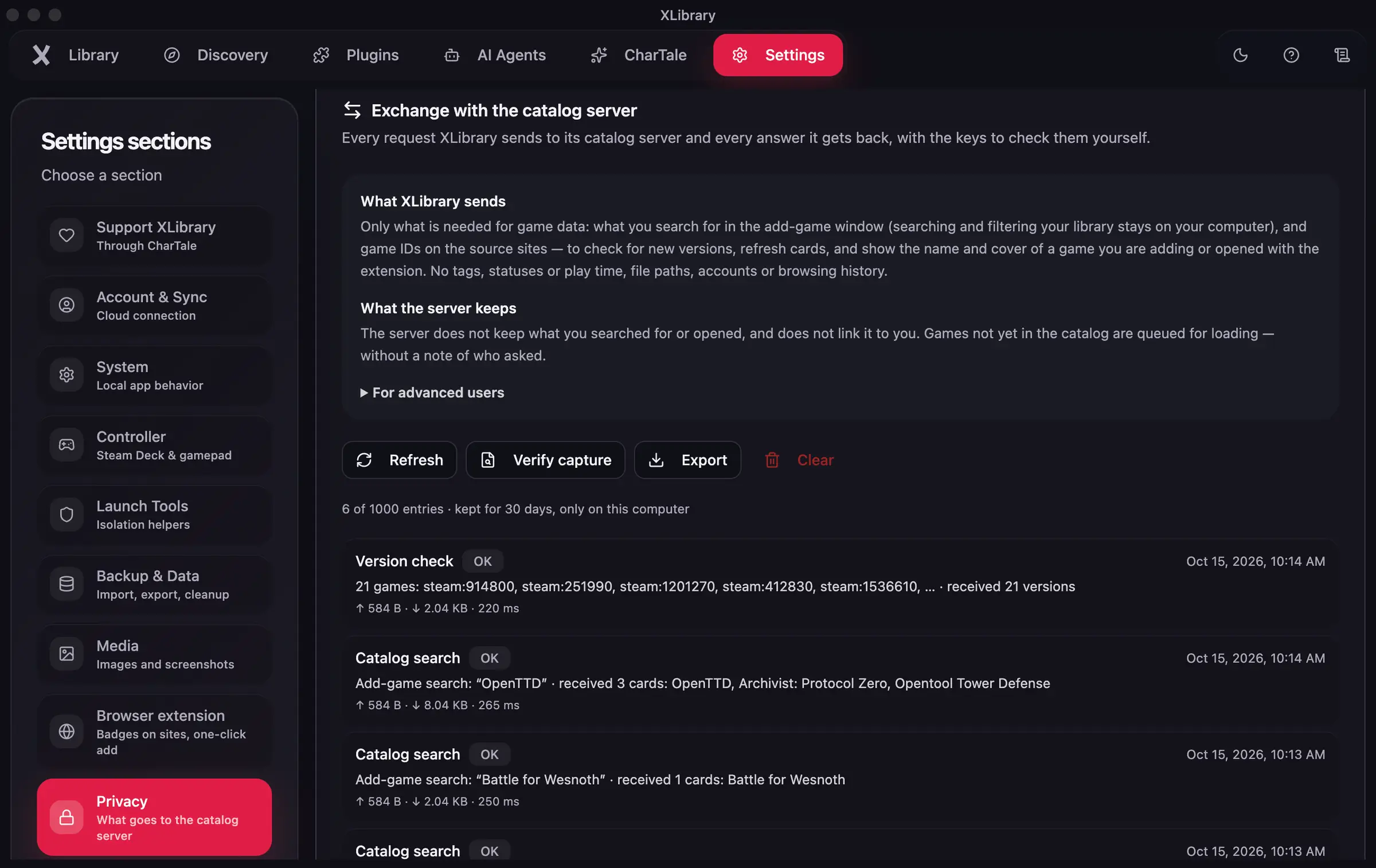
What goes to the server, and what stays
Sent
- What you search for
- The text you type into game search, so the catalog can find matches.
- IDs of games in your library
- Catalog IDs, to check for new versions and fetch details and covers.
- An anonymous installation key
- A key for this installation. XLibrary has no accounts, so it isn't linked to a name or email.
- The app build number
- So the server answers in a format your version understands, and can tell you when your version is no longer supported.
Never sent
- Your library contents
- Your list, statuses, ratings, notes and playtime stay on your computer.
- File paths
- Where your games are installed is never sent.
- Accounts and passwords
- Sign-ins for RPDL and other sites stay in your system keychain.
- Browsing history
- XLibrary doesn't send the pages you visit.
Kept on the server
- The public installation key
- When it was created
- When it last made a request
Search texts and the games you ask about are not stored.
The exchange log
Settings → Privacy → Exchange with the catalog server lists every request XLibrary sends and every answer, with what was sent and received and the keys to decrypt that one exchange. The log stays on your computer and can be exported.
Verify a capture
Capture the traffic
Record XLibrary's traffic with mitmproxy, Charles or Wireshark, for example as a HAR file.
Check it in the app
Open Settings → Privacy → Exchange with the catalog server and press Verify capture.
Read the captured request
Each exchange has its own one-time key. With it, the captured request is decrypted and shown, so you can compare it with what the log says was sent.
Look for what's missing
A captured body with no log entry is the signal: it would mean the app sent or received something the log doesn't show.
Passwords and backups
Passwords, such as your RPDL sign-in, are kept in the system keychain. Google Drive backup and sync are encrypted. Google sign-in is only needed for cloud sync, and XLibrary has no accounts of its own.
What this website measures
This website uses Cloudflare Web Analytics, which sets no cookies and doesn't fingerprint visitors.
| What | Fields |
|---|---|
| Page views | Page, referrer, country, Core Web Vitals |
Questions about this
Does XLibrary collect my library?
No. The server receives only the IDs of the games it is asked about, and it doesn't store them or your searches.
Where are my passwords kept?
In your system keychain. XLibrary uses it for sign-ins such as RPDL.